
Auto Parts Inventory Management: A Shop Owner's Guide
Stock mistakes cost margin. Here is how spare parts shops organize inventory, alerts, and purchasing.
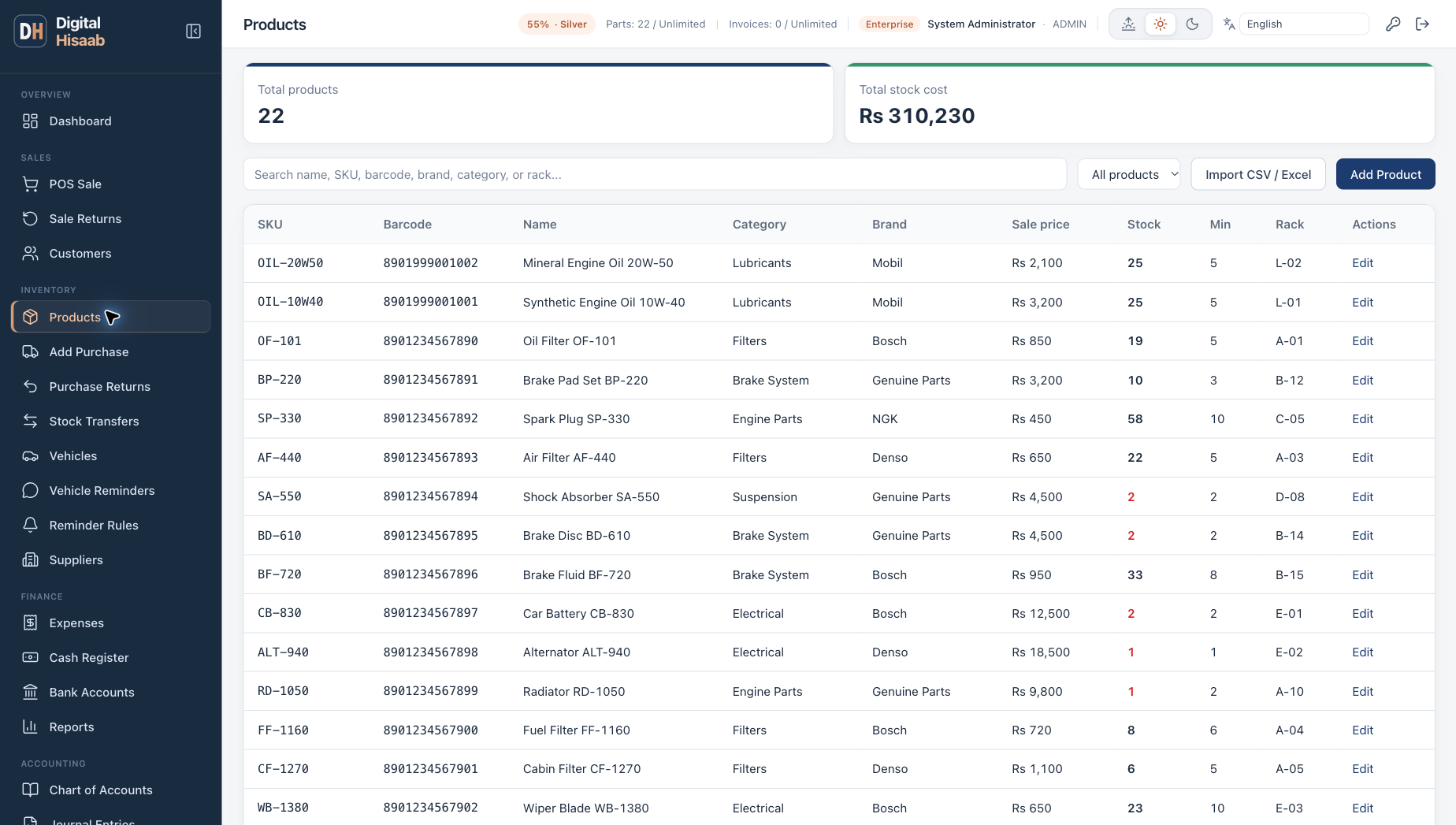
Inventory is where auto parts shops win or lose margin. Order too much and cash sits on the shelf. Order too little and customers go to the next shop. Spreadsheets work until they do not — usually right when you add a second counter or branch.
Organize by part number and location
Every item should have a clear part number, brand, and shelf or rack location. When staff can find stock in seconds, billing stays fast and errors drop.
Group slow movers separately from fast movers so reorder rules can differ.
Set minimum stock levels
For your top 20% of SKUs, set minimum quantities. Check the low-stock report weekly instead of guessing from memory.
Connect purchases and sales
When purchases, POS sales, and returns all update the same stock ledger, your on-hand quantity is trustworthy. That makes profit reports meaningful instead of approximate.
Use software built for spare parts
Digital Hisaab inventory includes part numbers, brands, rack locations, a low-stock report, purchase returns, and multi-branch stock on the Business plan — tied directly to POS billing and supplier ledgers.
You can import products and opening stock from Excel or CSV so you can switch without retyping your list. Customers and suppliers are added inside the app.