
Oil-change workshop software for billing, vehicle history and service reminders
Put the engine oil, the filter and your labour on one bill. Link it to the car’s registration and meter reading, and send a WhatsApp reminder when the next service is due, so the customer comes back to you.
15-day free trial, no card needed. There is no self sign-up: our team sets up your trial account after you message us or send an enquiry.
Daily problems at an oil-change workshop, and how Digital Hisaab helps
A lube shop earns on the repeat visit. The trouble is that bills, car details and follow-ups usually live in three different places. Here is how the software pulls them together.
Labour gets left off the bill
“Filter change ke paise to likhe hi nahi.”
How Digital Hisaab helps
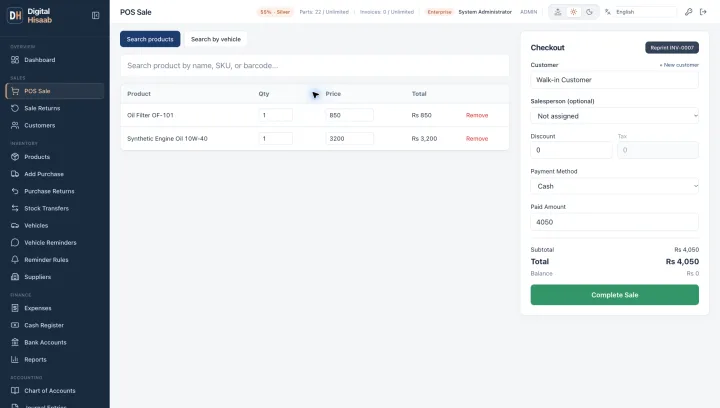
Create your labour charges, such as oil change, filter fitting or tuning, as service items. They go on the same bill as the oil and filter, never touch stock, and still count in your sales reports.
- Business plan
Nobody remembers what went into the car last time
“Pichli dafa kaunsa oil dala tha?”
How Digital Hisaab helps
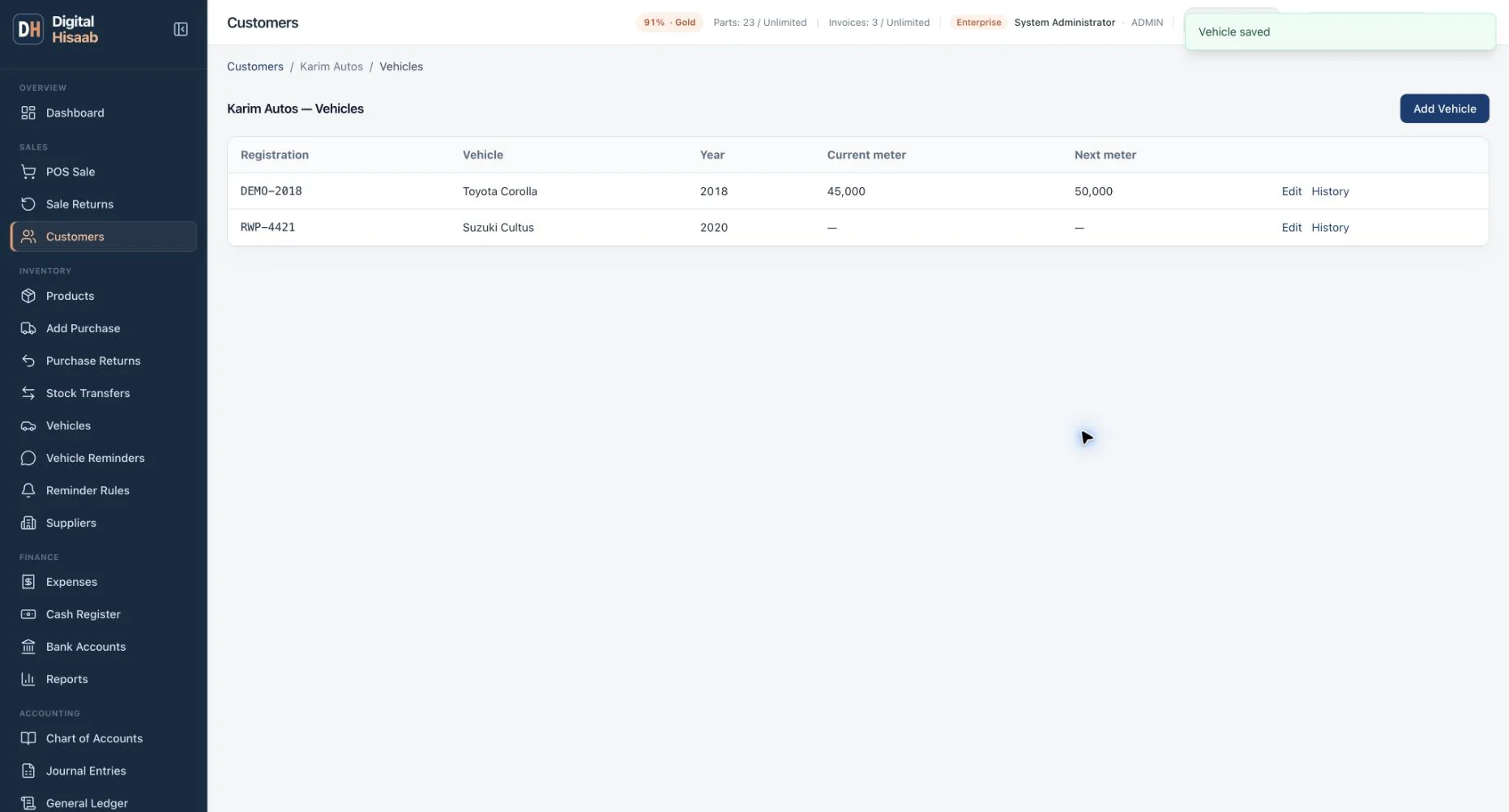
Save each customer’s vehicles with registration, make, model and year. Link the bill to the car and its current and next meter readings are saved with it. The vehicle history shows every bill linked to that car.
- Business plan
Customers come back late, or go elsewhere
“Bhai, yaad hi nahi raha.”
How Digital Hisaab helps
Set reminder rules, for example a chosen number of days after an engine-oil sale, or a fixed date. Due reminders appear in one list. Staff check the customer and vehicle, then send the message on WhatsApp, or snooze or skip it.
Oil stock in bottles and cans
“4 litre wale kitne bache hain?”
How Digital Hisaab helps
Keep each pack size, such as a 1-litre bottle or a 4-litre can, as its own product with the brand and grade in the name. Purchases add stock, bills reduce it, and the low-stock report shows what to reorder.
Fleet and company accounts on udhar
“Company ka bill mahine ke end pe aayega.”
How Digital Hisaab helps
Put a rent-a-car owner, van operator or company on one udhar ledger with a credit limit, and record payments when the cheque or transfer comes in. On the Business plan the same customer can have several vehicles, each with its own history.
Cash at closing doesn’t match
“Galla kam kyun hai?”
How Digital Hisaab helps
The daily sales and profit report shows what was sold and earned, and shop expenses are recorded as they happen. On the Business plan, open and close a cash register to compare expected and counted cash.
Example: one car, from arrival to the next reminder
This is the normal flow on the Business plan, where vehicle records and reminders are included.
- A regular customer’s car pulls in. In POS, choose the customer, then pick the car by its registration.
- Add the engine oil, the oil filter and your oil-change labour line. The labour line does not reduce stock.
- Enter the current meter reading and the reading for the next change, so both are saved with the bill.
- Take cash or put it on udhar, then print an 80mm or 58mm thermal bill or share it on WhatsApp.
- After the days set in your reminder rule, the car appears in the due list and staff send the WhatsApp reminder.
What it does not do yet
Know these limits before you plan your workshop around the software:
- Reminders run on dates, not on the meter reading. The next-change reading is saved for reference but does not trigger a message.
- No job cards, work orders, estimates or quotations.
- No appointment booking or bay scheduling.
- No selling by the litre from a drum, or any decimal quantity. Sell whole bottles and cans.
- Reminders go out on WhatsApp only. There is no SMS sending.
- No Android or iPhone app.
Which plan fits
For an oil-change workshop, the vehicle features are what make the difference, and they are on the Business plan.
Single Shop
PKR 2,000 / month
Enough if you only need one bill for oil, filters and labour, stock, udhar and daily profit. Customer vehicles and reminders are not included. Up to 3 users, 1 branch and 2,500 products.
- Usual fit
Business
PKR 5,000 / month
Customer vehicles with registration and meter history, WhatsApp service-due reminders, cash register and bank accounts, staff attendance and commission, and more branches.
Enterprise
PKR 10,000 / month
Everything in Business plus full accounting: trial balance, profit and loss, balance sheet and general ledger.
Every plan starts with a 15-day free trial and no card. Payment is by bank transfer, with the receipt sent on WhatsApp. Compare all plans and limits.
Common questions
Can I charge labour without it affecting stock?
Yes. Labour and other charges are created as service items. They sit on the same bill as parts and oil but have no stock count.
Can a reminder trigger at a kilometre reading?
Not yet. Reminder rules are date-based: a number of days after a sale of a chosen product or category, or a fixed date. Meter readings are recorded on the bill and vehicle so staff can see them.
Are reminders sent by SMS?
No. Reminders are sent on WhatsApp. Due reminders collect in a list so staff can review each one before it goes out.
Can I see a car’s previous oil changes?
Yes, on the Business plan. Open the vehicle’s history to see every bill linked to that registration, with the meter readings entered at the time.
We also sell loose oil from a drum. Will that work?
Not yet. Quantities are whole units only, so loose litres cannot be billed. Bottles, cans and filters work normally.
Guides and further reading
How-to guides
Read next
Other shop types
Bring your regular customers back on time
Message us on WhatsApp and tell us how many bays and staff you have. Our team sets up a 15-day free trial, or you can open the demo first.
Prefer to call or email? +92 333 0000688 · info@mi6.global