
Khata App vs POS Software: What Does Your Parts Shop Really Need?
A free khata app keeps udhar on your phone. A POS runs the counter. Here is how to tell which one your spare-parts or hardware shop needs.
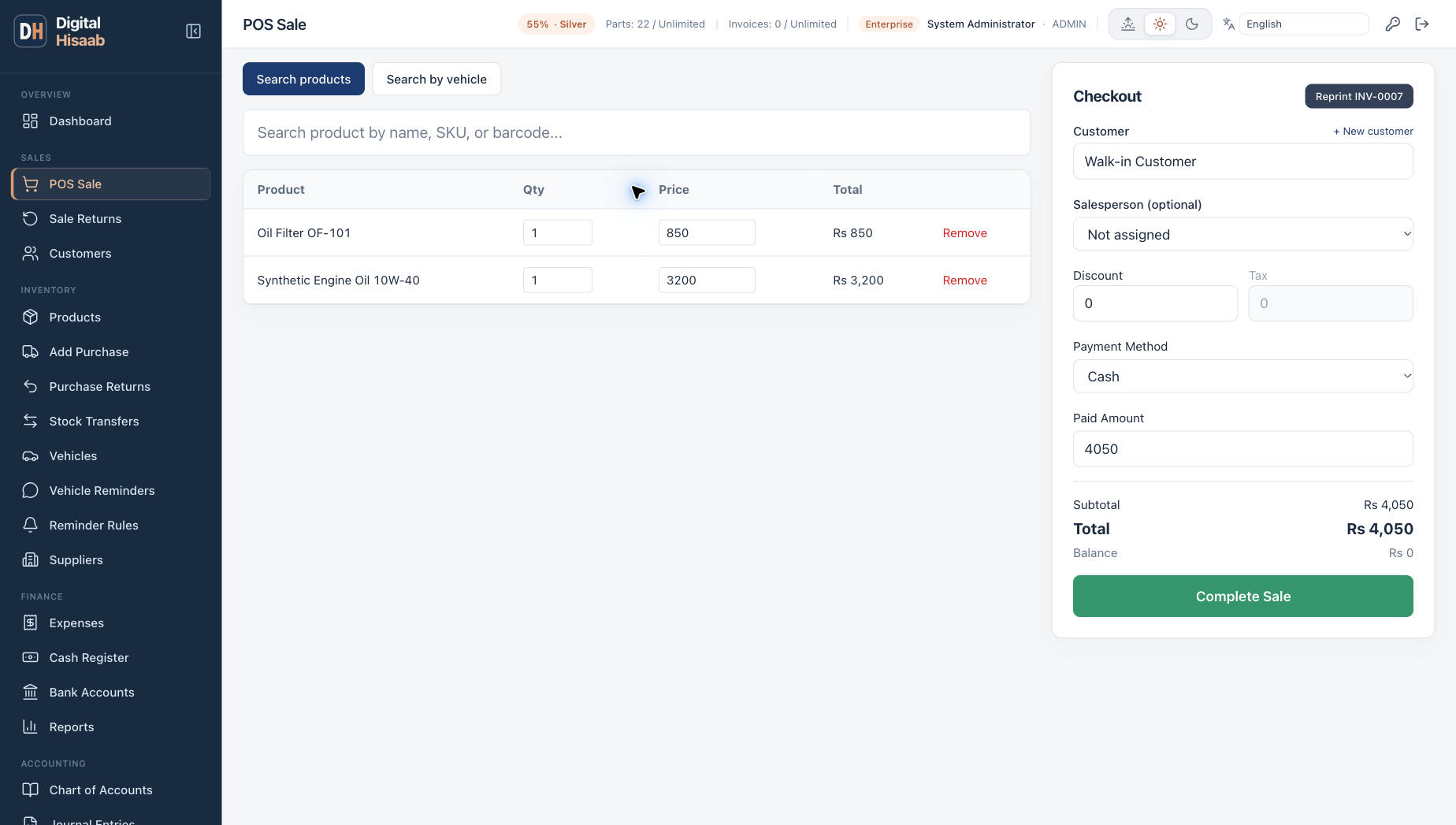
Many shopkeepers in Pakistan go digital the same way: they install a free khata app, move the udhar register onto the phone and stop losing pages. For a lot of dukaans that is a real step forward.
But a spare-parts, motorcycle-parts or hardware shop has a second problem that a udhar list alone does not solve: hundreds of part numbers, several brands of the same part, supplier bills, returns and more than one person at the counter. That is where POS software comes in. This guide explains what each tool is built for, when the free option is enough, and when it is time to move up.
What a khata app is built for
A khata app is a digital version of the udhar register. Its centre is the person: a customer or supplier, the amounts you gave and received, and the running balance. Many also help you remind a customer about what they owe.
Many khata apps for Pakistani shops are free to download. Some also include extra tools such as a cash book, bills or simple stock, and some offer paid add-ons, so read the current listing to see what the version you install includes. We are not ranking any of them here. The useful question is what your shop needs to record.
What POS software is built for
POS (point of sale) software is built around the bill. Its centre is the item: which part was sold, from which stock, at what price and at what cost. Every bill reduces stock, every purchase increases it, and the udhar balance comes out of the credit bills instead of being written separately.
For a parts shop that usually means part numbers and brands on every item, rack locations, purchase bills from suppliers, sale and purchase returns, supplier balances (payables), printed or WhatsApp invoices, and reports on sales, profit and stock.
Amounts versus items: the core difference
The easiest way to see the difference is to take a question you ask every week and see which record answers it.
| Question | Record you need |
|---|---|
| How much does Bilal mechanic owe me? | A customer balance (khata app or POS) |
| Which brand of oil filter is left on rack B-3, and how many? | Item-level stock with part number, brand and rack |
| What did I earn on the brake pads I sold this month? | Sale price and purchase cost of each item sold |
| How much do I owe each supplier, and for which bills? | Supplier purchases, payments and returns in one ledger |
| Which parts came back, and did they go back into stock? | Returns linked to the original bill and to stock |
| What did the second branch sell today? | Branch-wise sales and stock |
If your weekly questions stop at the first row, a khata app may be all you need. If you need answers to the others, you need item-level records, and that is what POS software keeps.
When a free khata app is enough
A free app is a sensible choice when most of these are true:
- Your main worry is udhar: who owes what, and reminding them.
- You keep a small range of fast-moving items and can see your stock with your own eyes.
- One person runs the counter and knows the prices by heart.
- You are happy to estimate profit roughly once a month.
- You work mostly from your phone and do not want a computer at the counter.
- Paying for software is not possible right now.
In that situation, a free app plus a disciplined daily routine works well. Our Roman Urdu guide dukan ka hisab kitab kaise rakhen shows a daily, weekly and monthly routine that works with a register, an app or software.
Signs your shop needs POS software
Two or three of these together usually mean the shop has outgrown a udhar-only record:
- The same part comes in three brands and several part numbers, and staff sell the wrong one or quote the wrong price.
- Staff spend minutes searching the racks, or tell a customer a part is finished when it is on another shelf.
- The udhar balance does not match what was actually billed, because bills and udhar are written in two places.
- You cannot tell which items make money and which only keep the counter busy.
- Supplier bills pile up and you are not sure what you owe to whom.
- Returns happen every week, and nobody updates stock when a part comes back.
- More than one person makes bills, or you are opening a second branch.
- Workshops and regular customers ask for a proper printed or WhatsApp bill.
What to look for in POS software for a parts or hardware shop
Whichever vendor you choose, test these in a demo with a few of your own parts:
- Search by part number, name or brand, with the rack location on screen.
- Credit bills that post to the customer's udhar ledger automatically, with a credit limit for each customer.
- Purchase cost tracked per stock batch (FIFO), so profit uses the real cost of the part that was sold.
- A supplier ledger with purchases, partial payments and purchase returns.
- Sale returns that put the part back in stock and reduce the customer balance or record the refund.
- Labour and service lines (fitting, oil change) that do not need stock.
- Thermal receipts for the counter, and a way to send the bill on WhatsApp.
- Import of your product list and opening stock from Excel.
- User roles, so profit reports stay with the owner or manager.
- Backups you can download and restore.
Also check the limits that matter to your shop. For example, Digital Hisaab sells in whole units only (pieces, sets, boxes). It suits hardware and sanitary shops that sell fittings, taps and tools as whole items, not shops that sell most goods loose by weight or length.
Can you use a khata app and POS together?
Some owners keep a khata app for personal or non-shop lending and run the counter on POS. That works. What does not work is writing the same shop udhar in both places. Two records for the same customer drift apart within weeks, and then neither is trusted.
Pick one home for shop udhar. If you move to POS, that home should be the POS, because the balance then comes straight from the bills and the payments recorded against them.
Cost: a free app versus PKR 2,000 a month
A khata app is free to download. POS software for a parts shop is usually a monthly subscription, so the real question is whether better stock and profit control saves more than it costs: one wrong part not sold, one forgotten udhar recovered, one supplier bill not paid twice.
The Digital Hisaab Single Shop plan costs PKR 2,000 a month for 3 users, 1 branch and up to 2,500 products. It covers counter billing, inventory with part numbers, brand and rack, FIFO cost, customer udhar with credit limits, the supplier ledger, purchases, returns, expenses, reports and Excel import. Business (PKR 5,000 a month) adds multi-branch stock transfers, a cash register, bank accounts, a vehicle catalogue with part compatibility, customer vehicles with WhatsApp service-due reminders, and an offline Windows desktop mode that our team sets up. See the pricing page for the full comparison.
To be clear about what it is not: Digital Hisaab runs in a web browser, and there is no Android or iPhone app, so it suits a shop with a computer or laptop at the counter. There is a 15-day free trial with no card needed, and payment after that is by bank transfer.
How to move from a khata app to POS without losing udhar
Plan the switch around one date, so every balance has a clear starting point:
- Pick a cutover date, ideally the start of a month or a quiet day.
- On that date, write down every customer and supplier balance from your app, and confirm the large ones with the customer or supplier.
- Clean your product list in Excel: one row per part number, with name, brand, price and cost. Count the opening stock on the cutover date.
- Import products and opening stock, then set up customers with their credit limits, and your suppliers.
- Agree with the setup team how the opening udhar and supplier balances will be carried into the new system, and check each one after entry.
- From the cutover date, record every new bill and payment only in the POS. Keep the old app for reference.
Our guide to switching from Excel to POS software covers the same steps in more detail, and the customer udhar management guide explains how to keep credit under control once you have moved. For the counter itself, see how to make a POS sale.
Shop-specific pages: motorcycle spare parts software, oil change workshop software and hardware and sanitary shop software. Feature details: inventory and customer ledger.