
How to Calculate Profit in a Spare Parts Shop (Dukan ka Munafa Kaise Nikale)
Cash in the galla is not profit. Here is how to work out gross and net profit for a parts shop, with FIFO cost, udhar, returns and a worked example.
"Sale to achi hui, phir paisa kahan gaya?" Almost every parts shop owner asks this at some point. The galla is full on a busy day, yet at month end there is not enough to pay the supplier. The answer is usually that cash, sales and profit are three different numbers, and the shop is watching only one of them.
This guide explains how to calculate profit in a spare parts shop step by step: gross profit, FIFO cost, labour charges, returns, udhar, expenses and stock value, then a worked example and how the Digital Hisaab profit report does the same calculation.
Sales, cash and profit are three different numbers
Before any calculation, separate these three:
- Sales (bikri) is the total of the bills you made after discounts, whether the customer paid cash or took udhar.
- Cash is what actually reached the galla or the bank. A Rs 20,000 udhar bill is a sale today, but cash next month, or never.
- Profit (munafa) is what is left from sales after the cost of the parts you sold and the cost of running the shop.
A shop can have high sales and low cash (too much udhar), or good profit and low cash (money tied up in new stock). Keep the three apart and most of the confusion goes away.
Step 1: Gross profit is net sales minus the cost of parts sold
Gross profit tells you what you earn on the goods themselves. Net sales are your sales after discounts and after refunds on returned items. The cost of goods sold is the purchase cost of only the parts you sold in the period, not of everything you bought.
The most common mistake is to subtract this month's purchases from this month's sales. Stock you bought but have not sold is still on the shelf; it becomes a cost only when it is sold.
Discounts reduce revenue. If a bill comes to Rs 10,000 and you give Rs 500 off, the sale is Rs 9,500, and profit is worked out on Rs 9,500.
Step 2: Use the right cost for each part (FIFO)
Parts prices change often, so you may have bought the same filter at two different prices. FIFO (first in, first out) assumes the oldest stock is sold first, so each sale takes the cost of the oldest batch still on the shelf.
Example with hypothetical numbers: you bought 10 oil filters at Rs 600 each, and later 10 more at Rs 680. You then sell 12 at Rs 850.
- Sales: 12 × Rs 850 = Rs 10,200.
- FIFO cost: 10 × Rs 600 + 2 × Rs 680 = Rs 7,360.
- Gross profit: Rs 10,200 − Rs 7,360 = Rs 2,840.
- Stock left: 8 filters at Rs 680 = Rs 5,440.
Using the latest price for all 12 (Rs 8,160) would show Rs 2,040 profit, Rs 800 too low; using the old price (Rs 7,200) would show Rs 3,000, too high. Across hundreds of items, these differences add up.
Step 3: Keep labour and service charges separate
Workshops and shops that fit parts or do oil changes also charge for labour. A labour charge uses no stock, so the full amount counts towards gross profit. Put it on the bill as its own line rather than inside a part's price, so you can see what the shop earns from parts and from services. The mechanics' salaries are an expense and come out in Step 5.
Step 4: Take returns out properly
When a customer returns a part, two things happen: sales go down by the refund, and the profit you counted on that part is reversed, because the part goes back on the shelf at its original cost. If you only reduce sales and forget that the part came back into stock, profit will look worse than it really is.
Purchase returns are different. Sending a faulty part back to the supplier reduces your stock and what you owe the supplier. It does not change profit, because that part was never sold.
Step 5: Net profit is gross profit minus expenses
Expenses (kharche) are the costs of running the shop that do not turn into stock: rent, electricity, internet and phone, fuel, salaries, maintenance and small daily spending. Net profit is gross profit minus these expenses. It is the number that tells you whether the shop is really making money.
Two things are not shop expenses: stock purchases (they are inventory, and count only when sold) and money the owner takes home for the household. Record owner withdrawals separately so they do not make the shop look less profitable than it is.
Udhar sales: profit now, cash later
A credit sale counts as a sale, and as profit, on the day you make the bill. When the customer pays next month, the payment reduces their udhar balance; it does not add profit a second time.
That is why udhar needs watching. Profit on paper becomes money only when the udhar is recovered, and if a customer never pays, that profit never reaches you. Keep balances, credit limits and follow-ups under control, as explained in our udhar management guide.
Stock value: money that is still on the shelf
A large part of a parts shop's money sits on the racks. Stock value is the quantity of each item multiplied by its purchase cost. If profit looks healthy but cash is tight, compare this month's stock value with last month's: if it went up, part of your profit has gone into stock. Slow-moving parts tie up cash for months, so stop re-ordering items that have not sold for a long time.
Worked example: one month at a hypothetical parts shop
All numbers below are made up to show the method. They are not data from any real shop.
| Line | Amount (Rs) | How it is worked out |
|---|---|---|
| Parts sales after discounts | 1,140,000 | All part lines on bills, cash and udhar |
| Labour and service charges | 60,000 | Fitting and oil-change labour lines |
| Total sales | 1,200,000 | Parts + services |
| Less: refunds on returns | −20,000 | Parts customers brought back |
| Net sales | 1,180,000 | Total sales − refunds |
| Cost of parts sold (FIFO) | 870,000 | Batch cost of every part sold |
| Less: cost of returned parts | −15,000 | Returned parts go back on the shelf |
| Net cost of parts sold | 855,000 | 870,000 − 15,000 |
| Gross profit | 325,000 | 1,180,000 − 855,000 (27.5% of net sales) |
| Expenses | 200,000 | Rent, salaries, bills, fuel and other |
| Net profit | 125,000 | 325,000 − 200,000 (10.6% of net sales) |
The Rs 200,000 of expenses in this example is rent Rs 60,000, salaries Rs 90,000, electricity Rs 25,000, internet and phone Rs 5,000, fuel Rs 10,000 and other small expenses Rs 10,000.
Now the cash side of the same example. Rs 300,000 of this month's sales were on udhar and are not paid yet, and the shop bought Rs 950,000 of new stock during the month. So even with Rs 125,000 of net profit, the galla can feel empty: part of the profit is with customers as udhar, and part is on the shelf as new stock.
Notice that the Rs 950,000 of purchases does not appear in the profit calculation; only the cost of what was sold does.
How the Digital Hisaab profit report calculates profit
Digital Hisaab uses the same method, built from the records your counter already creates. This is what the software does:
- Cost from the oldest batch first. Each purchase or opening-stock import creates a stock batch with its own cost. A sale takes quantity from the oldest batch first (FIFO) and records that batch's cost on the bill line; if one sale uses two batches, each portion carries its own cost.
- Profit per line. A line's revenue is price × quantity, less its share of any bill discount (a bill discount is shared across the lines in proportion to their value). Line profit is that revenue minus the batch cost.
- Services count in full. Labour and service lines have no stock cost, so their revenue is their gross profit. The report shows parts revenue and service revenue separately.
- Udhar counts on the sale date. A credit bill counts in sales and profit on the day it is made. Customer payments go to the udhar ledger and do not change profit.
- Returns count on the return date. The refund reduces net sales, and the profit on the returned item is reversed, since its cost goes back with the stock.
- Only recorded expenses are subtracted. Net profit is gross profit minus the expenses entered for the same dates (including staff commission, if you use the commission feature on the Business plan). An expense you have not entered is not in the number, and the report reminds you when no expenses are recorded for the period.
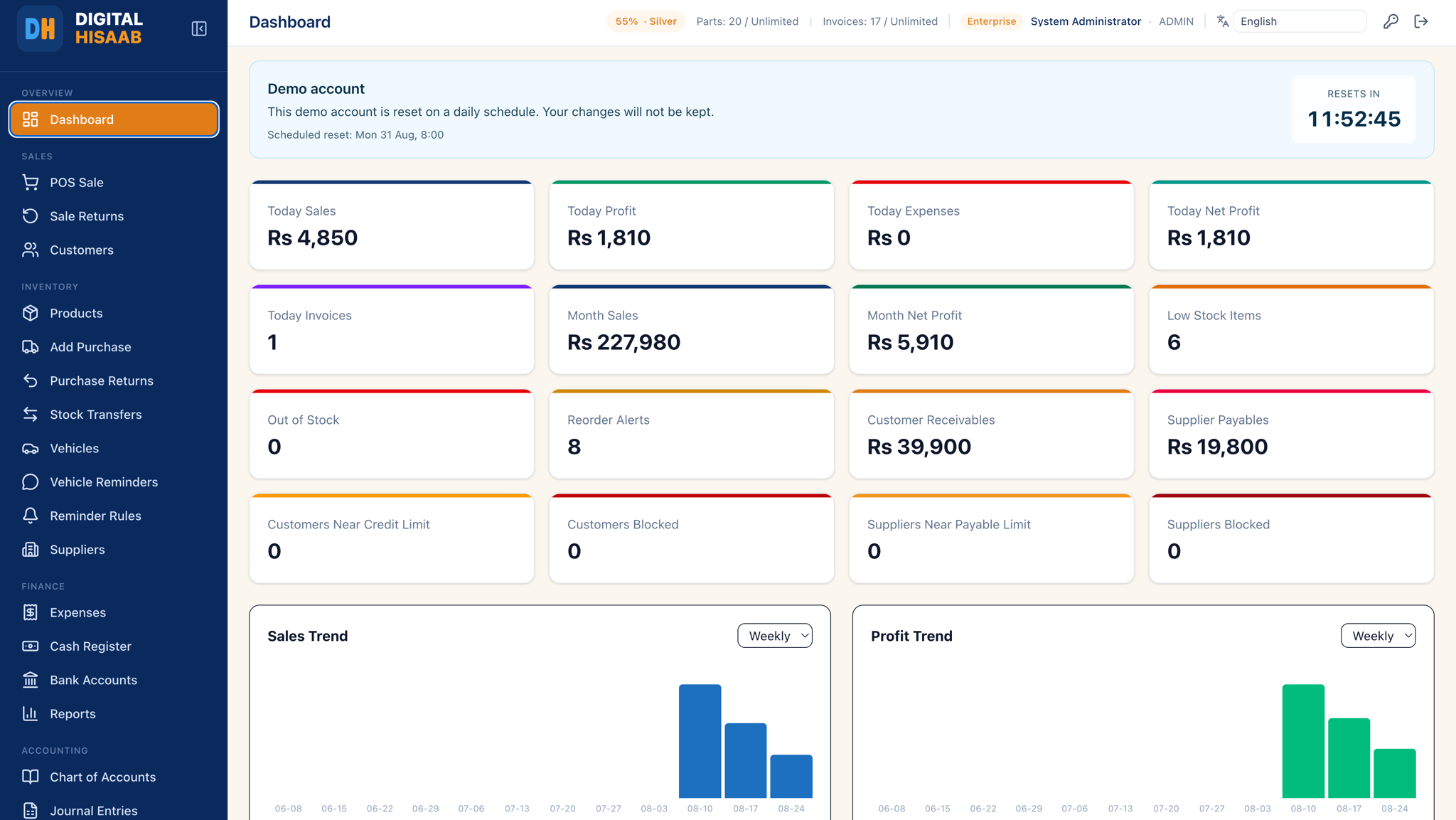
You choose the date range, and the branch if you have more than one, and can see sales, cost and profit by category, product, brand, day or customer. The report warns you about two things that make profit unreliable: lines sold below cost, and part lines with zero or missing cost, which make profit look higher than it is. You can export it to Excel, and the dashboard shows today's and this month's profit, expenses and net profit. Profit figures are shown only to users whose role allows financial reports. See profit reports and the reports and exports guide.
What it does not do: it does not treat purchases as expenses, and it is not an FBR or sales-tax report. A full profit and loss statement, balance sheet and trial balance are part of the accounting module on the Enterprise plan. Profit reports themselves are included in the Single Shop plan, which costs PKR 2,000 a month; see the pricing page.
A simple monthly profit routine
Whether you use a register or software, this routine keeps the profit number honest:
- Enter every expense on the day it happens, including salaries and rent.
- Make sure every part has a purchase cost before you sell it, and fix zero-cost items first.
- Record each return against its original bill, not as a separate entry.
- At month end, check net sales, gross profit, expenses and net profit, and compare them with last month.
- Look at profit by product or brand to see which parts earn and which only move.
- Compare profit with udhar outstanding and stock value, so you know where the money went.
Related reading: the Roman Urdu daily routine dukan ka hisab kitab kaise rakhen, khata app vs POS software, the auto parts inventory management guide and how to record an expense.
Shop-specific pages: motorcycle spare parts software, oil change workshop software and hardware and sanitary shop software.